
Testování rozhodovací tabulky (příklad)
 Thomas Hamilton
⚡ Chytré shrnutí
Decision Table Testing is a black-box technique that captures input combinations and their expected outputs in a tabular form. This tutorial explains the cause-effect concept, walks through login and upload examples, and shows why the method delivers strong coverage for complex business logic.
Co je testování rozhodovací tabulky?
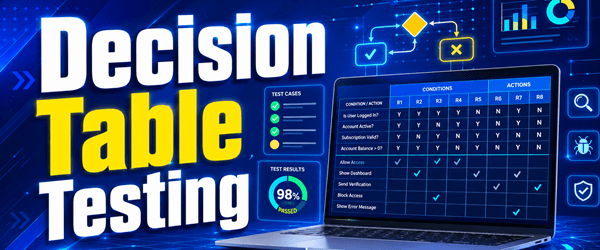
Decision table testing is a software testing technique used to test system behavior for different input combinations. It is a systematic approach in which the different input combinations and their corresponding system behavior (output) are captured in a tabular form. That is why it is also called a Příčina-účinek table, where causes and effects are recorded for better test coverage.
A Rozhodovací tabulka is a tabular representation of inputs versus rules, cases, or test conditions. It is a highly effective tool for both complex testování softwaru and requirements management. A decision table helps check all possible combinations of conditions, and testers can easily identify missing conditions. Conditions are indicated using True (T) and False (F) values.
Example 1: Decision Table for a Login Screen
Let us create a decision table for a login screen.

The condition is simple: if the user provides the correct username and password, they are redirected to the homepage. If any input is wrong, an error message is displayed.
| Podmínky | Pravidlo 1 | Pravidlo 2 | Pravidlo 3 | Pravidlo 4 |
|---|---|---|---|---|
| uživatelské jméno (T/F) | F | T | F | T |
| Heslo (T/F) | F | F | T | T |
| Výstup (E/H) | E | E | E | H |
Legenda:
- T – Správné uživatelské jméno/heslo
- F – Nesprávné uživatelské jméno/heslo
- E – Zobrazí se chybová zpráva
- H – Zobrazí se domovská obrazovka
Tlumočení:
- případ 1 – Username and password both wrong. The user is shown an error message.
- případ 2 – Username correct, password wrong. The user is shown an error message.
- případ 3 – Username wrong, password correct. The user is shown an error message.
- případ 4 – Username and password both correct. The user navigates to the homepage.
When converting this to a modelový případ, you can create two scenarios, because the three error cases all test the same rule.
- Enter the correct username and correct password, then click Login — the user should navigate to the homepage.
- Enter a wrong username and/or wrong password, then click Login — the user should see an error message.
Example 2: Decision Table for an Upload Screen
Now consider a dialog box that asks the user to upload a photo under certain conditions:
- Only the “.jpg” format is allowed.
- File size must be less than 32 KB.
- Resolution must be 137 × 177.
If any condition fails, the system throws a corresponding error message; if all conditions are met, the photo uploads successfully.

The decision table for this case is shown below.
| Podmínky | případ 1 | případ 2 | případ 3 | případ 4 | případ 5 | případ 6 | případ 7 | případ 8 |
|---|---|---|---|---|---|---|---|---|
| Formát | . Jpg | . Jpg | . Jpg | . Jpg | Ne .jpg | Ne .jpg | Ne .jpg | Ne .jpg |
| Velikost | < 32 KB | < 32 KB | ≥ 32 KB | ≥ 32 KB | < 32 KB | < 32 KB | ≥ 32 KB | ≥ 32 KB |
| Rozlišení | 137 × 177 | Not 137×177 | 137 × 177 | Not 137×177 | 137 × 177 | Not 137×177 | 137 × 177 | Not 137×177 |
| Výstup | Fotografie byla nahrána | Nesoulad rozlišení | Size mismatch | Size & resolution mismatch | Format mismatch | Format & resolution mismatch | Format & size mismatch | Format, size & resolution mismatch |
From this table, you can create eight test cases for complete coverage:
- .jpg, < 32 KB, 137×177 → photo uploads successfully.
- .jpg, < 32 KB, not 137×177 → resolution-mismatch error.
- .jpg, ≥ 32 KB, 137×177 → size-mismatch error.
- .jpg, ≥ 32 KB, not 137×177 → size and resolution mismatch error.
- Not .jpg, < 32 KB, 137×177 → format-mismatch error.
- Not .jpg, < 32 KB, not 137×177 → format and resolution mismatch error.
- Not .jpg, ≥ 32 KB, 137×177 → format and size mismatch error.
- Not .jpg, ≥ 32 KB, not 137×177 → format, size, and resolution mismatch error.
Why Decision Table Testing is Important
Decision table testing is important because it tests many combinations of conditions and provides strong coverage for complex business logic. When system behavior differs for each set of inputs, the technique gives good coverage in a simple, easy-to-read representation.
In softwarové inženýrství, boundary value analysis and equivalence partitioning are similar techniques, but they are most effective when the system shows the stejný behavior across a large set of inputs. When the behavior is odlišný for each input combination, those techniques cannot ensure good coverage — and decision table testing becomes the better option.
This table also serves as a reference for requirements and functionality development because it is easy to understand and covers all combinations. The significance grows as inputs increase: the number of possible combinations is 2^n, where n is the number of inputs. For n = 10, which is common in web forms, that is 1,024 combinations. You cannot test all of them, but you can select a rich subset using decision-based testing.
Výhody testování rozhodovacích tabulek
- Works when system behavior differs across inputs, where equivalence partitioning and boundary value analysis fall short.
- The representation is simple, so it is easily interpreted and useful for both development and business teams.
- Helps build effective combinations and ensures better test coverage.
- Any complex business condition can be turned into a decision table.
- Can ensure 100% coverage when the number of input combinations is low.
Nevýhody testování rozhodovací tabulky
The main disadvantage is that as the number of inputs increases, the table becomes more complex and harder to manage.
